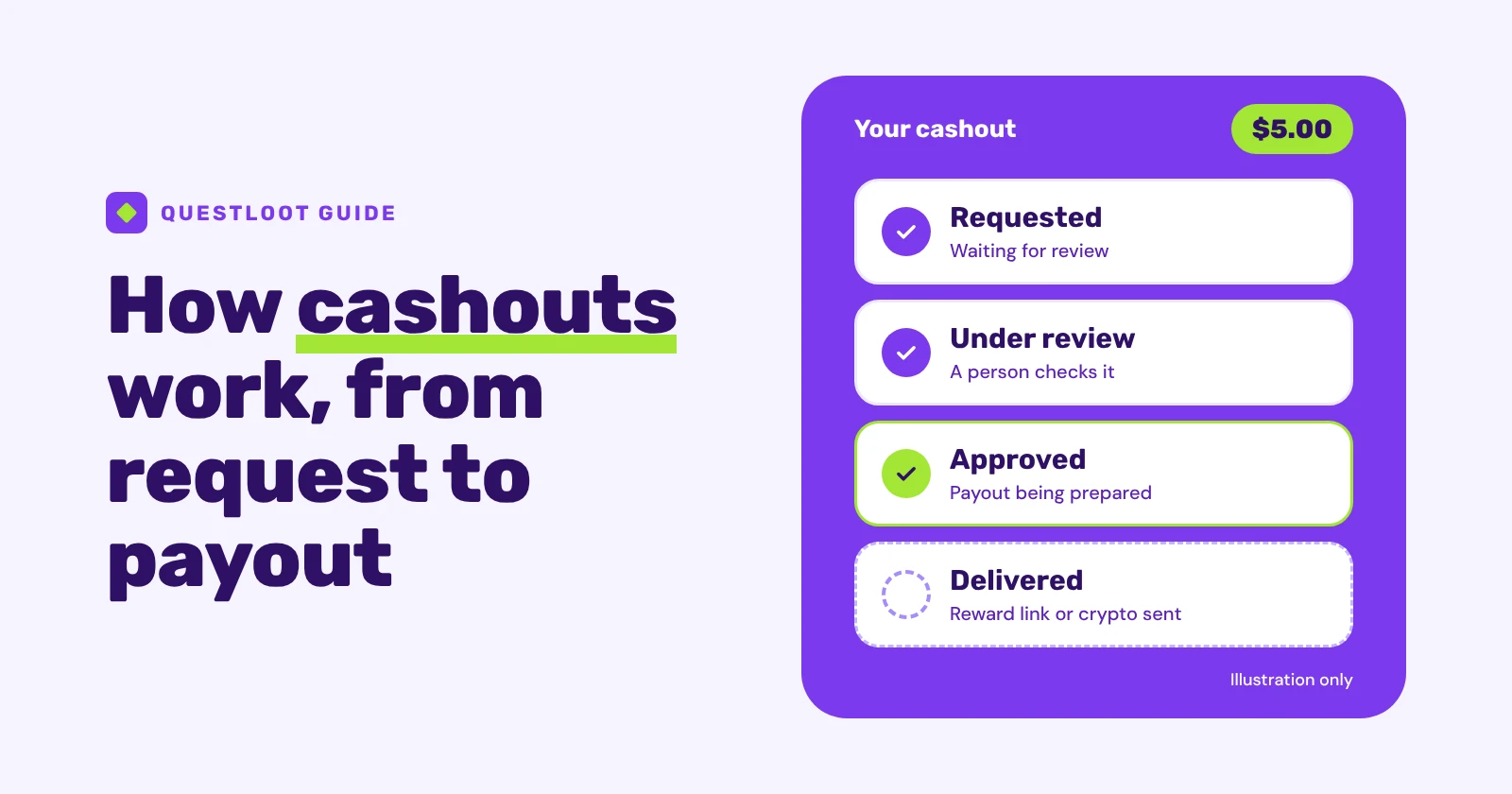
A cashout on a rewards site isn't one button that sends money straight to you. You request a payout from your balance, the site runs its checks, a person reviews the request, and once it's approved your reward is delivered: usually as an emailed link where you choose a gift card or PayPal payout, or as crypto sent to your own wallet. On QuestLoot, cashouts are typically processed within 24 hours, but every request is reviewed first, so it isn't instant.
This guide explains how rewards sites pay out by following a cashout from the moment you press the button to the moment the reward reaches you. It covers what you need first, what each stage means, why your first cashout includes an identity check, why a request can be declined, which payout method to pick, and what to do if a payout seems slow. The payout methods and minimums are listed on QuestLoot's Cash Out page.
What do you need before you can cash out?#
Most rewards sites ask for the same handful of things before they'll pay out. On QuestLoot, you need:
- A balance that reaches the minimum for your method. Gift cards, PayPal and prepaid cards start at $5 and are requested in whole dollars. A crypto payout can be as small as $0.50.
- Rewards that are available, not just earned. A signup bonus that's still locked doesn't count toward the minimum. Some larger quest rewards are also held for a set period after the milestone, and the quest marks each milestone this applies to.
- No other cashout request in the last 24 hours. You can make one request every 24 hours. A request you cancel, or one that's denied, doesn't use up that limit.
- A one-time identity check before your first cashout. The next sections explain what it involves.
- Somewhere for the payout to go. For gift cards, PayPal and prepaid cards, that's the email address on your account, because the reward link is sent there. For crypto, it's a wallet you control.
Still building a balance? Our guides to earning with game quests and earning with online surveys explain how each one pays and how to judge what it's worth for your time.
What happens after you request a cashout?#
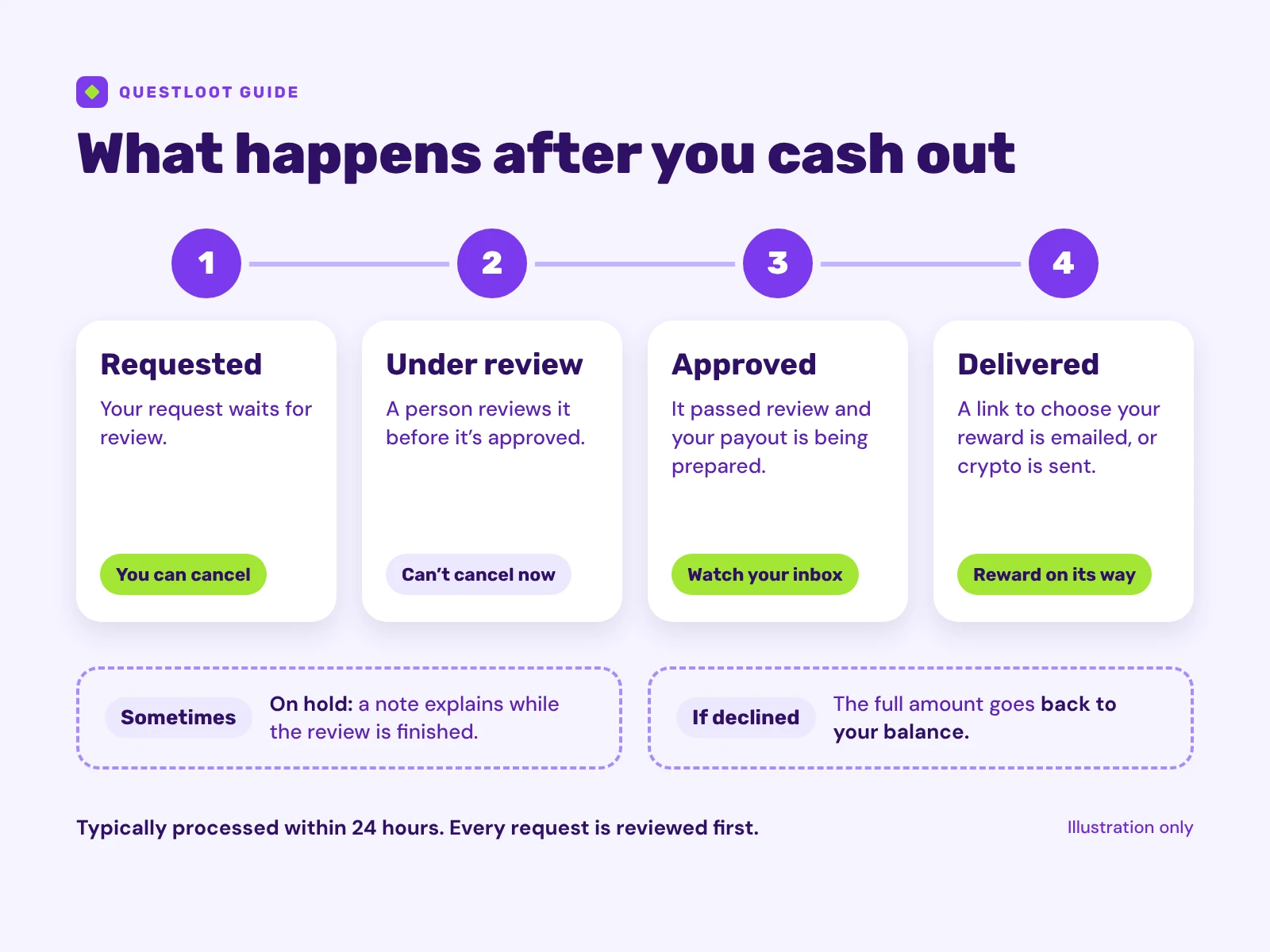 The four stages of a cashout, from request to delivery.
After you send a request, it moves through a few stages. When you're signed in, the Cash Out page shows each request's status, with labels such as Pending, Reviewing, Approved and Sent:
| Stage (label you may see) | What it means | What you can do |
|---|---|---|
| Requested (Pending) | Your request is waiting for review. | Cancel it if you change your mind. A cancelled request doesn't count toward the 24-hour limit. |
| Under review (Reviewing) | A person has started reviewing it. | Wait. Once review has started, the request can't be cancelled. |
| Approved | It passed review and the payout is being prepared. | Watch your inbox for the reward link, or wait for the crypto to be sent. |
| Delivered (Sent) | The reward has gone out. A crypto payout may show Processing while it waits for the blockchain, and Confirmed once it has landed. | Choose your reward from the emailed link, or check your wallet. |
Sometimes a request is put on hold while the review is finished. It then shows as On hold, usually with a short note, and sometimes with a date for the next update. If a request can't be approved, it's declined (shown as Rejected) with a message, and the amount goes back to your balance. If you ever see Failed or Refunded, a send didn't go through, so contact support.
Why is there an identity check on your first cashout?#
Before your first cashout, QuestLoot asks you to complete a one-time identity check with its verification partner, Didit. It helps protect QuestLoot and its members from fraud, and it's one reason a first cashout takes longer than later ones. When the check is due, the Cash Out page prompts you to verify once you're signed in.
Here's what is shared, and with whom:
- Your ID and selfie go to Didit, not to QuestLoot. You send a government-issued ID and a selfie straight to Didit, so QuestLoot never receives a copy of your ID image or biometric data.
- QuestLoot sends Didit your email address to start the check.
- QuestLoot keeps only the result, such as approved or declined, and Didit's reference for the session. Didit handles your ID and selfie under its own privacy policy.
You can join and earn without doing the check. It's only needed before your first cashout, or before you post a task for other members. Do it only through the site's own verification step, and never send photos of your ID by email or chat to someone who says they're from support.
Why is every cashout reviewed, and why can one be declined?#
Rewards sites check payouts before they go out, because the money is real and fraud costs every honest member. On QuestLoot, automated fraud checks run on every cashout and can decline one outright, and every request is separately reviewed by a person before it's approved. That's a flexible, risk-based review process, so not every request takes the same route or the same amount of time.
A closer look isn't an accusation. If a request is flagged for review, that doesn't mean you did anything wrong, and most flagged cashouts clear review normally. When a request can't be approved, it's declined, and the full amount is returned to your balance rather than lost. If you think a decline was a mistake, contact support and ask them to take a look.
The terms list the things that can stop a cashout: using a VPN or proxy to mask your location, running more than one account, or requesting from a sanctioned region, where cashouts aren't available. Avoiding these keeps things simple, but review is risk-based, so a request can still get a closer look for other reasons.
Which payout should you choose?#
The right method depends on what you'll actually use and how comfortable you are with crypto. Here's how the options compare on QuestLoot:
| Payout | Minimum | How it reaches you | What to watch |
|---|---|---|---|
| Gift cards | $5, whole dollars | Pick a brand from the link emailed after approval | Brands vary by country, and each card has its own terms |
| PayPal | $5, whole dollars | Choose it from the same emailed link | Only where available |
| Prepaid Visa or Mastercard | $5, whole dollars | Choose it from the same emailed link | Only where available, with the card's own terms |
| Crypto (Bitcoin Lightning, Litecoin, Dogecoin, Solana) | $0.50 | Sent to the wallet address you enter | Can't be reversed once sent |
Gift cards, PayPal and prepaid cards are issued by QuestLoot's rewards partner, Tango. You choose the method "Gift Cards & PayPal" when you request, and then pick the exact reward from the link you're emailed after approval. The brands and options on offer vary by country and by account. QuestLoot doesn't charge a fee to cash out, and it doesn't currently pay out by bank transfer.
Crypto is the option with the least room for error. You enter the destination yourself (a Lightning address or invoice for Bitcoin, or a wallet address for the other coins), and the coin amount is calculated when your cashout is approved. As the FTC's guide to cryptocurrency and scams puts it, "cryptocurrency payments typically are not reversible." A payout sent to a wrong or incompatible address can't be recalled, so copy and paste the address and check it before you submit. If you've never used a crypto wallet, a gift card or PayPal payout is the simpler choice.
How long does a cashout take, and what if it's slower?#
QuestLoot cashouts are typically processed within 24 hours. That's what usually happens, not a promise, and a few things can make one take longer:
- Your first cashout includes the identity check.
- A request may be held while its review is finished. The terms also allow for temporary holding periods before a cashout is approved.
- Payouts are currently reviewed and processed by hand while QuestLoot is growing.
- Delivery after approval depends on the rewards partner for gift cards, PayPal and prepaid cards, or on the blockchain for crypto.
If a cashout seems slow, work through these steps:
- Check its status on the Cash Out page. Labels such as Pending or Reviewing mean it's still in review.
- Search your inbox for the reward link, including spam and promotions folders, if the status says it was approved or sent.
- For crypto, check the right wallet and coin. A crypto payout can show Processing while it waits for the blockchain to confirm it.
- Contact support through the contact page with the amount, the date you requested and the payout method. If a reward link doesn't work or has expired, say so straight away, so support can make a reasonable effort to resolve it with the partner. Support will never need your password, so don't include it.
The FAQ also answers common questions about cashouts, reviews and the identity check.
What mistakes delay or lose a payout?#
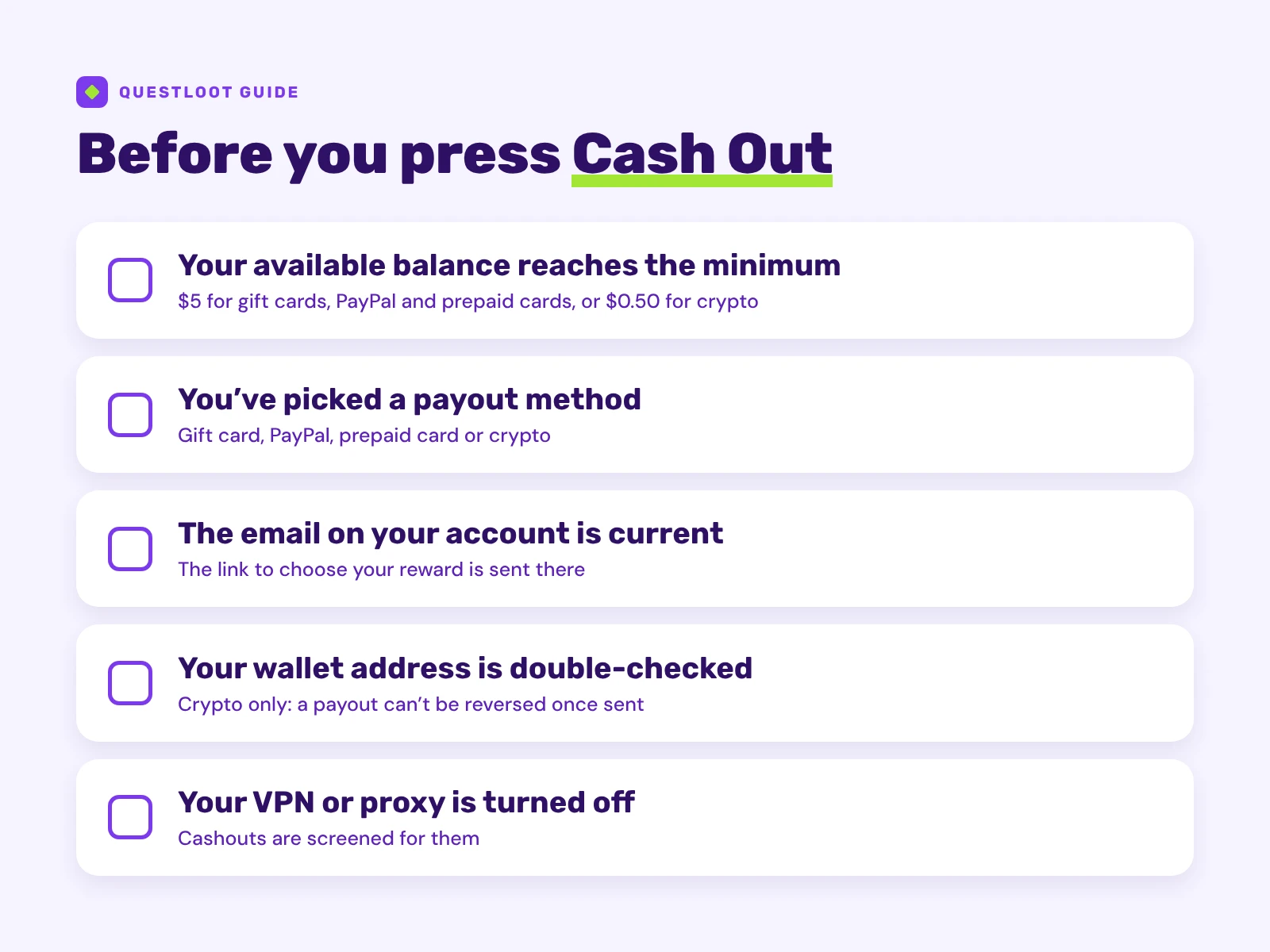 Five checks before you press Cash Out.
- A wrong or incompatible wallet address. This is the one mistake that usually can't be fixed, because a crypto payout is final once sent.
- An out-of-date email address on your account. The reward link goes to that address, so keep it current before you request.
- Missing or forgetting the reward link. Rewards can have their own validity period, so choose yours soon after the email arrives.
- Sharing the reward email. Treat the link like cash, because anyone who has it may be able to claim the reward.
- Requesting with a VPN or proxy turned on. Cashouts are screened for them, so turn it off before you press Cash Out.
How can you tell a payout is legitimate?#
On any honest rewards site, a payout only ever moves money toward you. It's free to request, and the only thing you're asked for is where to send it, plus a one-time identity check through the site itself. Stop and contact the site's support directly if anyone:
- asks you to pay a fee, tax or "unlock" charge before you can cash out,
- asks you to buy gift cards or send crypto to release your balance,
- messages you claiming to be support and asks for your password or a photo of your ID.
The FTC is clear on both payment tricks. Its advice on gift card scams says "no real business or government agency will ever tell you to buy a gift card to pay them," and its crypto guide says "only scammers demand payment in cryptocurrency." To see QuestLoot's own payout rules in one place, read Is QuestLoot legit?
Ready to cash out?#
When your available balance reaches the minimum for the method you want, go to Cash Out, choose your method and check your details before you submit. Then keep an eye on your inbox, or your wallet, for the reward.